
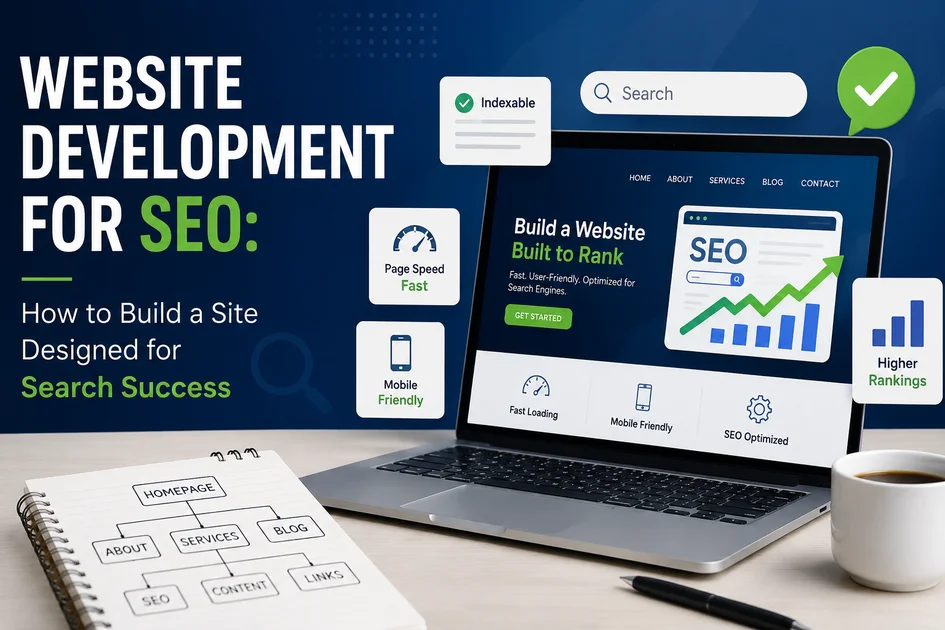
Most Websites Are Built Without Thinking About SEO
Here is the truth about website development for SEO Canada. Every single day Canadian businesses spend money on new websites without ever thinking about how those choices will affect their ability to show up on Google. A website might look beautiful but if it is slow or messy or built on the wrong platform it will struggle from day one.
This article covers the main decisions that determine whether a website can rank on Google. It explains what businesses and web developers need to get right from the very start. If you are planning a new website or a redesign this guide is for you. No magic tricks here. Just practical steps that set your site up for success.
Picking the Right Platform: Your CMS Choice Matters
The content management system or CMS you choose sets the limit for how well you can do SEO. Here is how the most common platforms stack up.
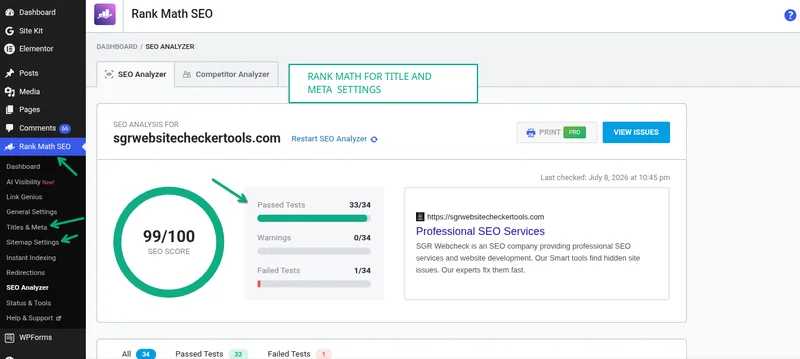
WordPress is the best choice for SEO focused websites. When you pair it with plugins like Rank Math or Yoast SEO you get complete control over meta tags and schema markup and sitemaps and technical SEO settings. It is flexible and widely supported and powers over 40 percent of all websites worldwide. For most Canadian businesses this is the way to go.
Shopify works well for online stores but has some limits. You have less control over canonical tags and URL structure is rigid and duplicate content from collection and product tag pages needs careful handling. If you are selling products online Shopify can work but you need to know these limits upfront.
Wix and Squarespace have gotten better at SEO but still cannot match WordPress for flexibility and technical control. They are okay for very small businesses but can hold you back if you want to grow aggressively. If you plan to scale up these platforms might limit you.
Custom CMS can be great if it is built with SEO in mind from the start. But they need a lot of investment in technical SEO features that WordPress gives you right out of the box. Unless you have a strong reason to go custom WordPress is usually the smarter move.
Site Structure: Building a Layout That Google Loves
Site architecture is just a fancy way of saying how your pages are organized and connected. A logical and clear structure helps search engines find and understand the relationship between your pages. This is a huge part of website development for SEO Canada.
The best approach for most Canadian business websites is what is called a silo structure. Your homepage sits at the top. Main category or service pages are one level below like /seo-services/ or /web-development/. Subpages sit one level below that like /seo-services/local-seo/ or /seo-services/technical-seo/. Blog posts and supporting content link to relevant category pages.
Every important page should be reachable within three clicks from the homepage. Pages that are buried too far within the site receive less attention from Google and gain less authority over time. Keep your structure simple and shallow. A confusing site structure confuses both users and search engines.
URLs: Keep Them Simple Clear and Permanent
URLs might seem small but they matter for SEO. They also affect whether people click your link in search results. Clean and readable URLs give users a clear idea of what the page is about before they click.
Here are the best practices for SEO friendly URLs. Use lowercase letters and hyphens not underscores (_) to separate words. Include your target keyword in the URL where it makes sense. Keep URLs as short as possible while still being descriptive. Avoid unnecessary parameters or numbers or dates in URLs. Never update URLs without setting up 301 redirects, as doing so can wipe out the link equity your site has built over time.
A good URL example looks like intrendseo.com/seo-services/local-seo-kitchener/
A bad URL example looks like intrendseo.com/?p=1432 or intrendseo.com/SEO_Services/LOCAL%20SEO/
Clean URLs are better for users and better for Google. They also look more professional when people share them.
Page Speed: Build It Fast from the Start
Page speed is way easier to build in from the beginning than to fix later. Development choices that directly impact speed include several factors.
Hosting matters a lot. Choose a Canadian or North American hosting provider with SSD storage and a strong uptime guarantee. Avoid cheap shared hosting for business websites because it is slow and unreliable. Your hosting is like the foundation of a house. If it is weak everything else suffers.
Theme selection is another factor. Lightweight themes like Astra or GeneratePress or Kadence on WordPress load much faster than bloated multipurpose themes. Pick a fast theme from the beginning. A fancy theme with too many features will slow you down.
Image handling needs attention. Set up WebP image support and lazy loading from day one. Set maximum upload dimensions to prevent oversized images from being served. Large images are one of the biggest speed killers. A single unoptimized image can add seconds to your load time.
Code quality matters. Minimize CSS and JavaScript during the build. Avoid loading plugin after plugin for features that can be handled with a few lines of custom code. Every plugin adds weight to your site. Be picky about what you install.
Caching is necessary. Set up full page caching from launch using a plugin like WP Rocket or LiteSpeed Cache. This makes your site load much faster for visitors by storing a copy of each page.
Mobile First: Not Optional in 2026
Google uses mobile first indexing. This means it crawls and indexes the mobile version of your website as the main version. A website that looks great on desktop but has layout issues or tiny text or buttons that are too small on mobile will suffer in rankings.
Mobile first development means designing for a small screen first then scaling up. Do not design for desktop and try to fix it for mobile later. That approach leads to problems. Start with the phone view and make it work perfectly. Then add features for larger screens.
Mobile-friendly websites should have text that is easy to read without zooming, buttons and tap targets that are at least 48 by 48 pixels, no horizontal scrolling, all features working without hover actions, and forms that work well with mobile keyboards.
If your site does not work well on a phone you are losing customers. Most people browse on their phones now. A site that is not mobile friendly is missing out on a huge portion of potential visitors.
Security: HTTPS Is a Must
Google has used HTTPS as a ranking signal since 2014. In 2026 a website without a valid SSL certificate will be flagged as Not Secure in Chrome and Firefox. This destroys user trust and directly impacts rankings.
Every new website must launch with HTTPS. Most hosting providers now include free SSL certificates via Let us Encrypt. Make sure all HTTP requests automatically redirect to HTTPS. Ensure your SSL certificate is configured for both the www and non www versions of your domain.
This is something you usually only need to set up once, but it matters. If you skip this step, your site can appear less trustworthy to both users and Google.
Structured Data: Code That Helps Google Understand You
Implementing schema markup which is the code that tells Google what your content means is far simpler when done during the initial build than as a retrofit.
For Canadian business websites build in schema markup for several things. Add Organization or LocalBusiness schema on your homepage and contact page. Add Service schema on each service page. Add Breadcrumb schema across the entire site to support navigation. Add FAQ schema on pages with frequently asked question sections. Add Article schema on blog posts.
Schema can be implemented through your SEO plugin which handles most of this automatically in WordPress. It can also be done through JSON-LD code snippets added to page templates or through a tag manager solution.
Do not skip this step. It helps Google understand your business and may help your pages stand out more in search results.
Launch Checklist: SEO Essentials Before Going Live
Before launching any new Canadian business website verify these items.
Make sure all pages that should be indexed do not have noindex tags. Make sure Google can find your pages. Sometimes developers accidentally leave noindex tags on new sites.
Check that your robots.txt file is configured correctly and not blocking important resources. You do not want to accidentally block Google from your site. This happens more often than you would think.
Generate your XML sitemap and make sure it is accessible and submitted to Google Search Console. This helps Google find all your pages. Submit it right after launch.
Connect Google Search Console and Google Analytics 4 and make sure they are tracking. You need data from day one. Do not wait to set these up.
Check that all canonical tags point to the correct version of each page. This prevents duplicate content issues. If you have similar pages make sure the canonical tag tells Google which one is the main version.
Put all 301 redirects from old URLs in place if this is a redesign or migration. Do not lose your existing SEO value. If people have bookmarked your old pages they should end up on the new ones.
Make sure Core Web Vitals scores pass or are at least near the Good threshold. Speed matters. Check your scores in Google Search Console.
Test that all forms and buttons and interactive elements work on mobile devices. Test everything. Click every button. Fill out every form.
Verify that HTTPS is functioning across the entire site with no mixed content warnings. Every page should be secure. A mixed content warning means some elements are loading over HTTP instead of HTTPS.
Conclusion: The Development Phase Is Your Best SEO Investment
The choices made during website development have a longer lasting impact on your SEO potential than almost any work done afterward. A well built website is a compounding asset. It starts building SEO value from launch rather than spending months correcting avoidable problems.
When you focus on website development for SEO Canada you set your business up for long term success. A properly built site ranks better and converts better and requires less ongoing maintenance than a site built without SEO in mind. The foundation you build today determines how high you can climb tomorrow.
At Intrend SEO we build websites and manage SEO as one integrated discipline not two separate projects. Every website we develop for Canadian businesses in Kitchener and Mississauga and beyond is built with SEO as a core consideration. If you are planning a new website or redesign reach out to discuss how we can build SEO into the foundation. No pressure. Just honest guidance.
FAQs
What is the best platform for an SEO friendly website?
WordPress is the best choice for most businesses. It gives you complete control over every SEO element. Plugins like Rank Math and Yoast make it easy to manage meta tags and schema and sitemaps. It is flexible and well supported and works for almost any type of website. Shopify works well for eCommerce but has some limitations. Wix and Squarespace are improving but still not as flexible as WordPress.
Does my website need to be mobile friendly for SEO?
Yes absolutely. Google uses mobile first indexing. This means Google looks at the mobile version of your site first. If your site does not work well on phones your rankings will suffer. Most people browse on their phones now. A site that is not mobile friendly is losing customers every single day.
How important is page speed for SEO?
Page speed is very important. Google uses speed as a ranking factor. Slow sites rank lower. Speed also affects your conversion rate. A one second delay can cost you sales. Build your site to be fast from the beginning. It is much harder to speed up a slow site later.
Do I need HTTPS for my website?
Yes you need HTTPS. Google has used HTTPS as a ranking signal since 2014. Browsers also show a Not Secure warning for sites without HTTPS. This scares people away. Most hosting providers offer free SSL certificates. There is no excuse to skip this.
What is site architecture and why does it matter?
Site architecture is how your pages are organized and linked together. A good architecture makes it easy for Google to find and understand your pages. It also makes it easier for users to find what they are looking for on your site. Every important page should be reachable within three clicks from your homepage. Keep your structure simple and logical.
Should I use a custom CMS or WordPress?
For most businesses WordPress is the better choice. It is flexible and affordable and has all the SEO features you need. Custom CMS can work well but requires a lot of development work. Unless you have specific needs that WordPress cannot handle save your money and go with WordPress.
What is schema markup and do I need it?
Schema markup is code that tells Google what your content means. It helps Google understand your business and your services and your products. It also enables rich results like stars and prices and FAQ snippets in search results. Yes you should use it. It is easy to implement with WordPress plugins.
How do I choose a good web hosting provider for SEO?
Look for a provider with SSD storage and a high uptime guarantee and good page load times. Canadian or North American servers are best for Canadian visitors. Avoid cheap shared hosting plans. They are slow and unreliable. Spending a bit more on hosting is worth it for better performance and rankings.
Can I add SEO features to my site after it is built?
Yes but it is harder and more expensive. Features like proper URL structure and fast page speed and good site architecture are much easier to build in from the start. Retrofitting these things later often means rebuilding parts of your site. Do it right the first time.